Stop staring
at the task.
It's not that you're lazy — the first step is just too big. SplitIt breaks any goal down until the next step is small enough to just do. From stuck to started, in minutes.
Made for ADHD, executive dysfunction, and anyone who freezes on big or vague tasks.
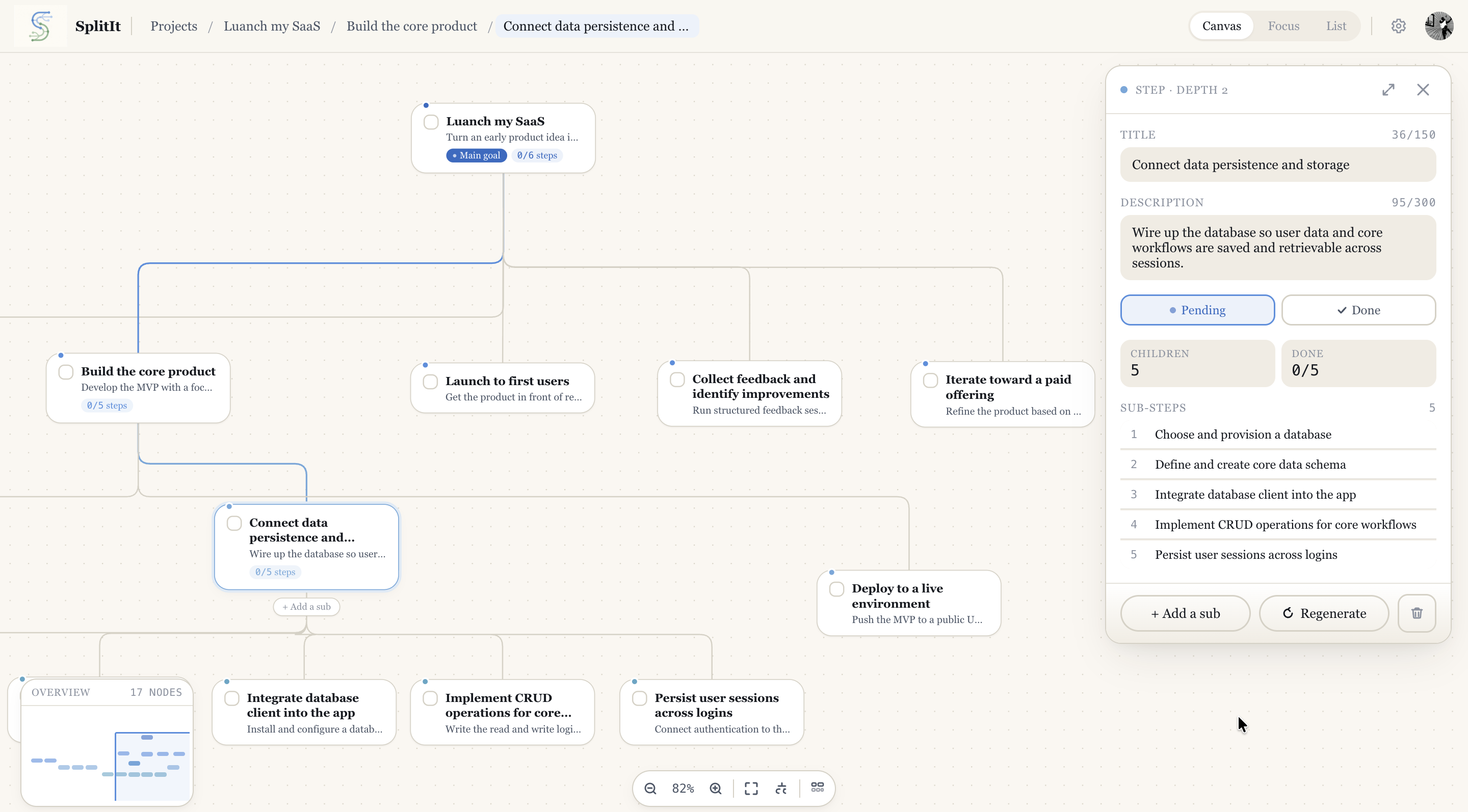
Canvas view
How it works
Three steps to unstuck
One sentence is enough. "Clean the house," "file my taxes," "launch the thing" — whatever's too big to start.
In seconds, you get small, doable steps — with the easiest one first, so there's an obvious place to begin.
Break any step down further until it's small enough to just do. Check it off, and let the momentum carry you.
 SplitIt
Make progress, not just a plan.
A helpful answer is a start. SplitIt keeps the work in view: break any step down, choose one small action, and come back to it when you’re ready.
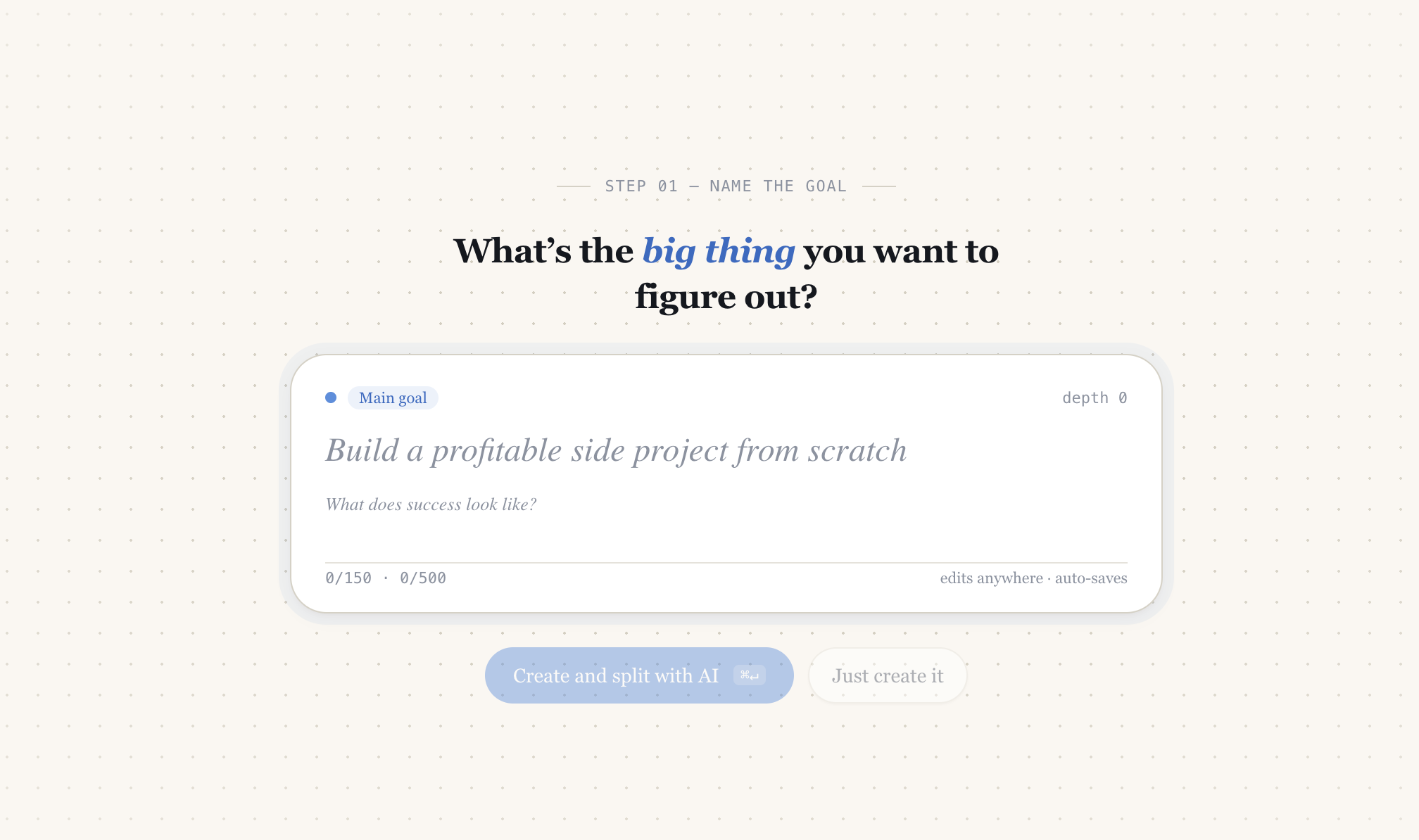
AI-generated sub-steps in context
Generates child steps directly from the content of each node, with existing structure guiding the output.
Map your goal visually
See your entire plan as an interactive tree. Split any node deeper with one click — the AI breaks it down instantly, right in context.
Execute without distraction
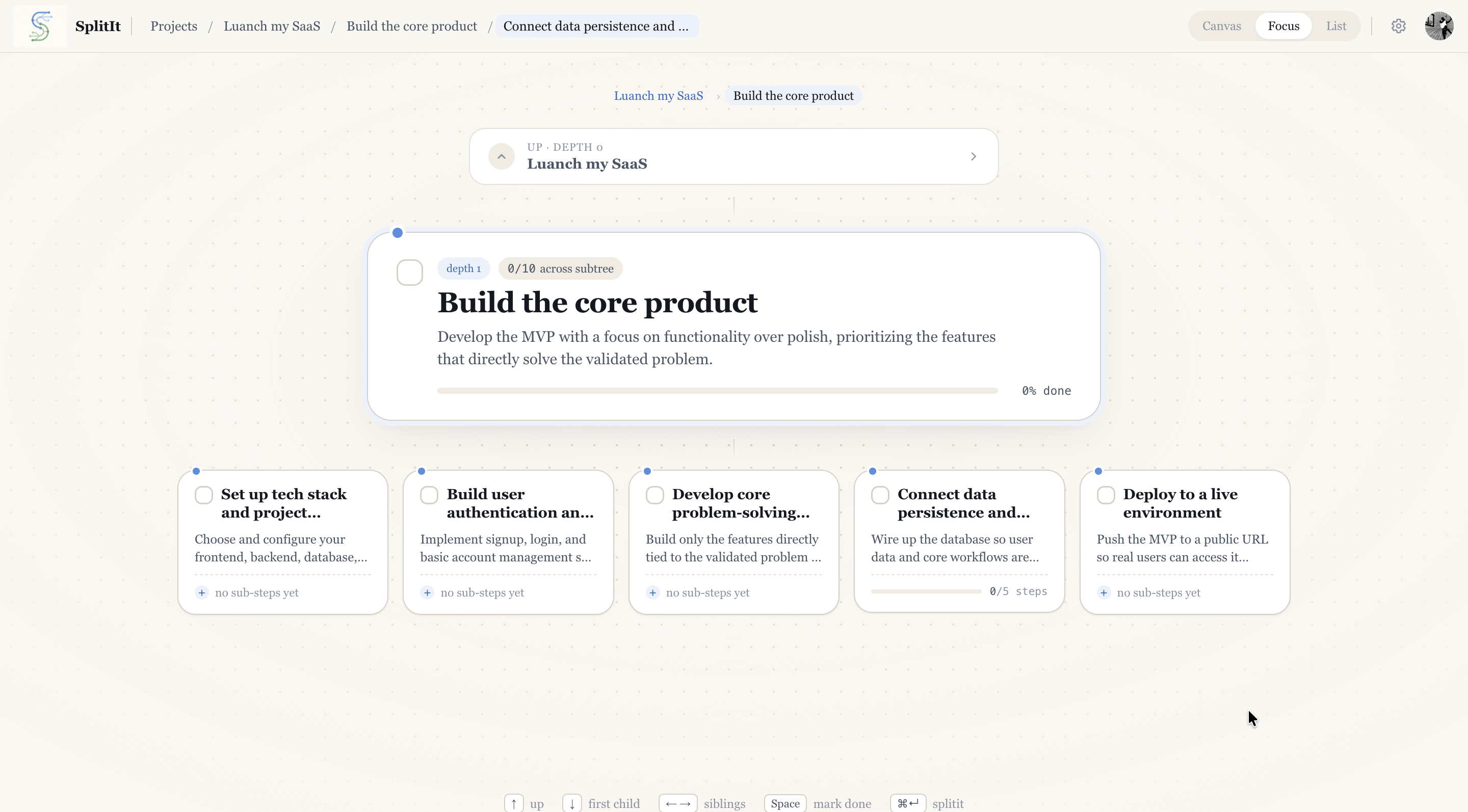
Focus mode zooms into one step at a time — full description, sub-tasks, and progress — so you can ship without losing track.
See the whole hierarchy
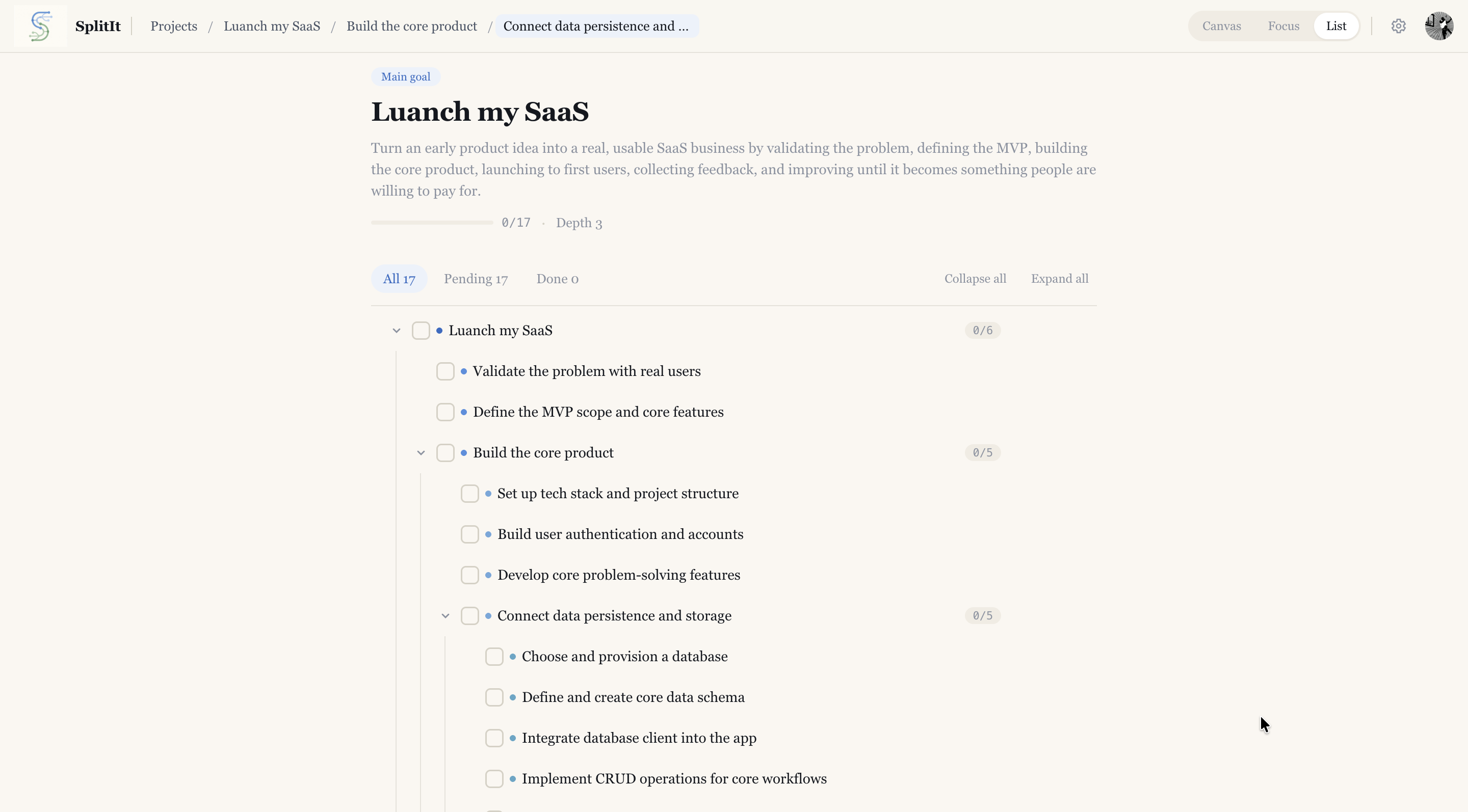
List view collapses your project into a clean nested outline. Toggle depth, track done counts, and scan progress at a glance.
Context-aware splitting
AI is grounded in the goal, node, and hierarchy
Three synced views
Canvas, Focus and List stay in sync automatically
Progress tracking built in
Track completion status, sub-step counts, and progress
Your next step is smaller than you think.
Stop staring at it. Start free — no card needed.
Get unstuck, free